
Meals and groceries
New to Fluent? Connect your AI app first.
Plan what to cook, save recipes you want to use again, and keep a grocery list you can return to during the week.
Plan a few dinners
Help me plan three easy dinners this week. Ask about our food preferences and how many people we are feeding.
Tell your assistant who you are cooking for, what you like to eat, any foods to avoid, and the time you have to cook. Work out a few dinners together. Review the meals and the ingredients you need, then ask to save the meal plan and grocery list separately.
Follow the meal-planning guide
Make a grocery list
You can start a list without a meal plan.
Help me make a grocery list for this week with yogurt, blueberries and oats. Show me the list before saving.
Already have a list? Try:
Add yogurt, blueberries and oats to my grocery list.
Or ask your assistant to build a list from a plan you reviewed. Tell it what you already have rather than assuming it knows your kitchen.
Saving a meal plan does not automatically save recipes or create grocery items. Ask to save the plan and grocery list, and check that both are ready.
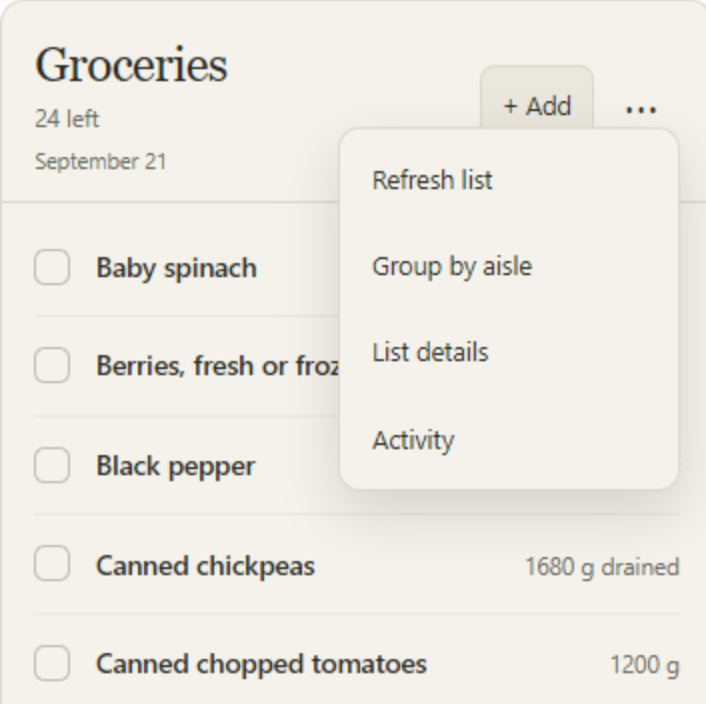
Use your list
Show my grocery list.
Compatible AI apps can show a visual checklist. You can also use the list through text. Ask to add something you forgot, change a quantity, or record what you bought. Use the available list controls where your app supports them.
Save a recipe for next time
Save this recipe so I can make it again.
Review the recipe before saving. After cooking it, you can add feedback such as what you liked or would change next time.
Optional grocery budget
Set a simple grocery budget and record spending if it helps your planning. Fluent uses the amounts you provide.
More help
For supported operations and fields, see the developer reference.